
Google Business Profile Suspended? Here Is How I Diagnose and Reinstate One
A suspension is one of the few local SEO problems that feels like an emergency, because it is one. The profile stops showing in Maps. The call button disappears. Directions vanish. Meanwhile the website is still online and Analytics looks normal, which is exactly why owners often lose two or three days before they realise what happened.
I have worked through a lot of these. The pattern that surprises most people is this: the suspension is almost never random, and it is almost never about the thing they were doing on the day it happened. It is usually about a mismatch that has been sitting in plain sight for months, which an automated sweep finally noticed after an edit woke it up.
So the first job is not writing an appeal. The first job is finding the mismatch.
Soft suspension or hard suspension? Check this before anything else
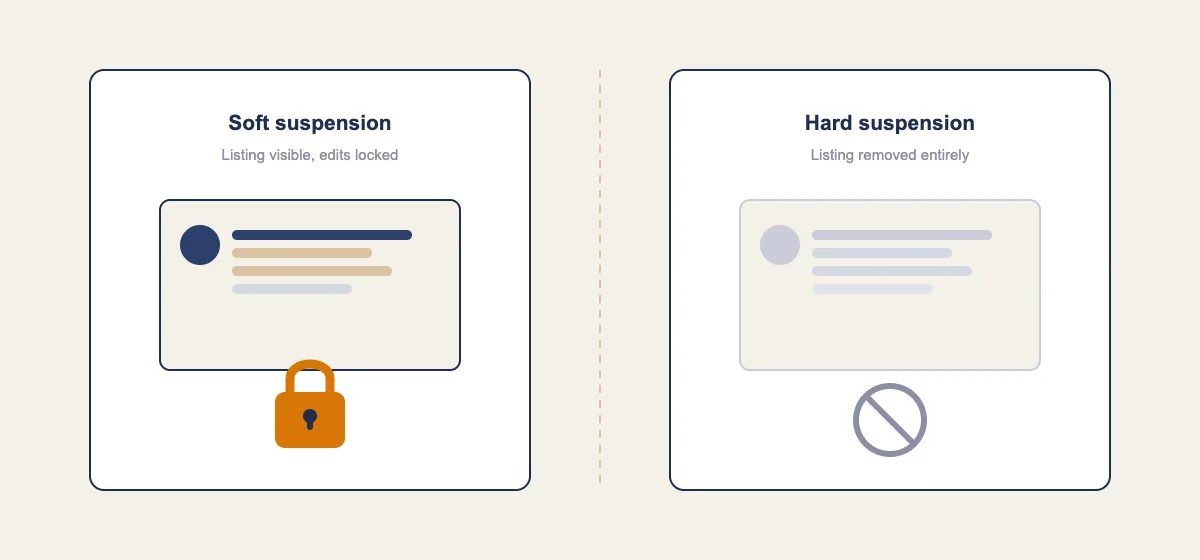
There are two states, and they need different responses.
A soft suspension leaves your listing visible in Maps and Search, but you lose the ability to edit it. Reviews stay. Photos stay. The verified badge is gone from the dashboard. Customers usually notice nothing.
A hard suspension removes the listing from Maps and Search entirely. The profile still exists inside your dashboard, and your reviews are held rather than deleted, but the public no longer sees anything.
There is a third state that gets misdiagnosed constantly: an account level restriction. This hits the Google Account or the location group, not one listing. If you manage six profiles and all six went dark on the same morning, you are not looking at six separate policy violations. You are looking at one account problem. Reports through 2026 tied several clustered outages to exactly this. Fixing it means working at the account layer, and appealing each listing individually will waste a week.
Open Maps in a private browser window and search your exact business name plus city. That tells you visible or not visible. Then open the dashboard and try to change a single non-sensitive field, like your business description. If the save fails or the field is locked, you have a soft suspension.
The four trigger classes
Once I know the state, I sort the cause into one of four buckets. This narrows the investigation quickly.
1. The edit trigger. Someone changed a sensitive field. Business name, street address, primary category, phone number, service area, or ownership. These fields are treated as high risk, and changing several at once in a short window is one of the most reliable ways to get flagged. Google's automated moderation of profile edits got noticeably faster during 2026, with the company announcing new Maps protections in April 2026 that included quicker filtering of suspicious place edits. If you renamed the business and updated the address in the same session, you have found your trigger.
2. The sweep trigger. Nothing changed on your end. An automated pass re-scanned an old profile and caught something that was always technically wrong. Common examples: a keyword stuffed business name that has been live for two years, a suite number that does not exist, a residential address that is publicly displayed for a business that travels to customers.
3. The report trigger. A competitor or a user submitted a redressal complaint or a suggested edit. Enough corroborating user edits on the same field can move a listing into review on their own.
4. The account trigger. The Google Account itself is flagged, often because of a linked profile you forgot about, a bulk upload, or a previously suspended listing under the same login.
Knowing which bucket you are in changes what evidence you gather. An edit trigger needs a timeline. A sweep trigger needs a compliance fix. A report trigger needs proof that the reported claim is false.
The fourteen day change log
This is the single most useful thing I do, and almost nobody does it.
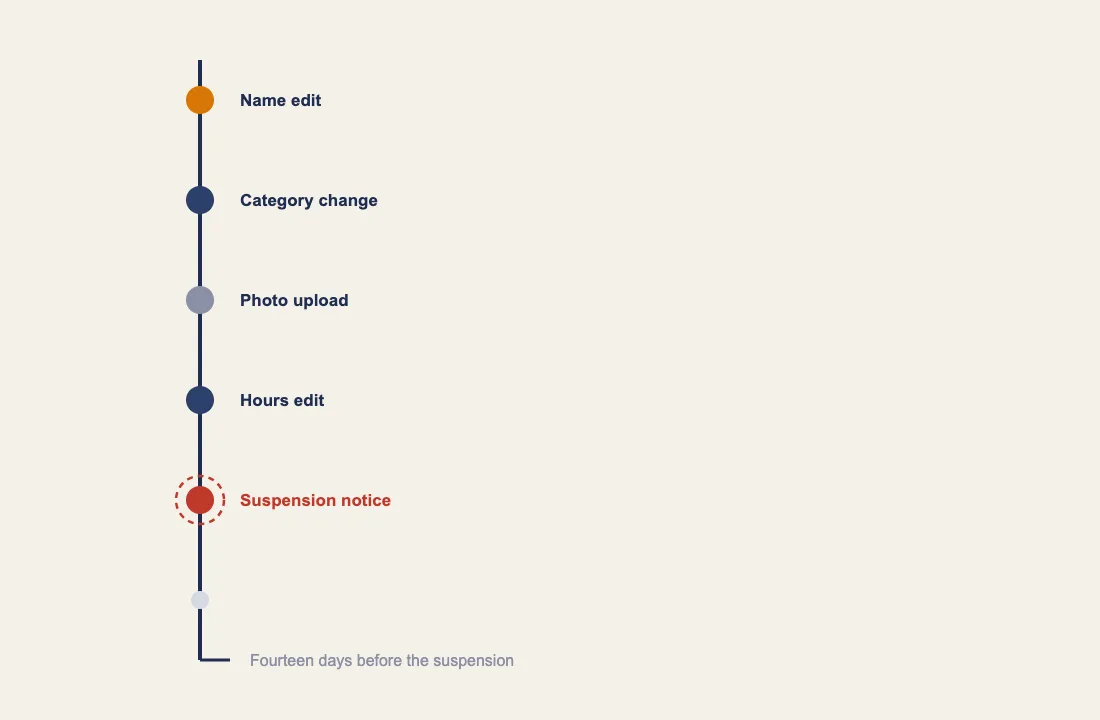
Open a blank document. Write down every change made to the profile, the website, and the business itself in the two weeks before the suspension. Not just profile edits. All of it.
Include:
- Any edit to name, address, phone, category, hours, service area, or website URL
- New photos, especially exterior or interior shots
- New users added to the profile, or a manager removed
- Anything published on the website's contact page or footer
- A phone number change with the answering service or call tracking provider
- A move, a rebrand, a legal name change, or a new registration
- New reviews arriving in an unusual burst
- A change to your domain, hosting, or contact page layout
Two things fall out of this exercise almost every time. First, you find the trigger. Second, you find a second problem you did not know about, usually a phone number or suite number that stopped matching somewhere.
I keep this log because the appeal reads far better with it. A reviewer who sees "on 14 May we corrected the legal name to match the trading licence, and no other fields were altered" is being handed a clean story. A reviewer who sees a wall of pleading is being handed work.
The five checks that resolve most cases
Before touching the appeal form, run these in order. Stop when you find something broken, fix it, and keep going.
Check 1: the business name. It must match the name on your signage, invoices, and legal registration. Not the name plus a city. Not the name plus a service. "Riverside Plumbing" is fine. "Riverside Plumbing | Emergency Plumber Manchester | 24/7" is a suspension waiting to happen. This is the most common single cause I see, and it is also the one owners resist fixing hardest, because the stuffed name was ranking.
Check 2: address representation. Is the address shown publicly? Should it be? A business that travels to customers and does not receive them at a base location should not display a street address at all. Displaying a home address in that situation is a documented violation, and service area businesses have a different rule set worth understanding on its own. PO boxes, mailbox rentals, and virtual offices are not eligible addresses, and a suite number invented to separate two businesses at one address is a fast route to removal.
Check 3: category alignment. The primary category has to describe what the business primarily is, not what it wants to rank for. A dispute between a category and the physical setup, for example a "Restaurant" category on a listing with no dining space, reads as a mismatch. If you recently switched categories to chase visibility, that edit may be the trigger. Getting this right the first time matters, which is why choosing the right primary category deserves real thought rather than a guess.
Check 4: duplicates. Search Maps for your phone number, your address, and old versions of your business name. Duplicate listings, including ones created years ago by a previous agency or a data aggregator, cause suspensions on the live profile. Claim and merge them. Never create a fresh listing while the original is under review. That one mistake turns a two week problem into a two month one.
Check 5: consistency across the web. Pull up your contact page, your footer, your invoices, and your main directory listings. Do they all say the same name, the same address format, and the same phone number? Reviewers do check. Your name, address, and phone data across directories is part of how Google forms confidence that the business is real, and a mismatch weakens the case even when it is not the trigger.
Building an appeal that gets read
The reinstatement request is an appeal, not a resubmission. It is judged on evidence, not on how much you explain.
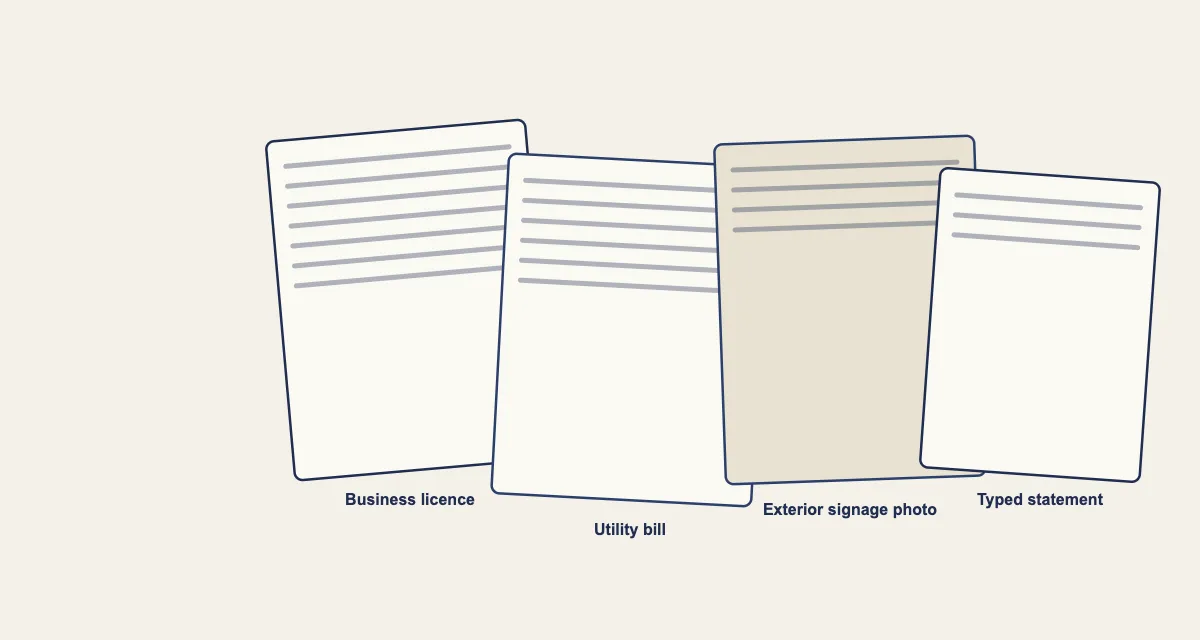
Your packet should include:
- Business registration or licence. The name and address must match the profile exactly. Not approximately.
- A utility bill in the business name at the listed address. Electricity, water, phone, or internet. Dated within the last few months.
- Exterior photography. Signage with the business name, plus a wider shot showing the street and a house or building number. For a service area business, that shifts to branded vehicles, equipment, and tools.
- A short written statement. Three or four sentences. What changed, when, what you corrected, and confirmation that the profile now matches the documents attached.
That statement is where the change log pays off. Keep it factual and dry. Do not argue about competitors. Do not describe the financial impact. A reviewer processing a queue is looking for a match between documents and profile, and anything else is noise.
Then submit once, and wait. Repeated submissions of the same request do not speed anything up, and in my experience they make things slower because the case gets re-queued. Straightforward cases tend to resolve within a few days to two weeks. If it is refused, do not resubmit the identical packet. Find the second problem first.
The two weeks after reinstatement
This is where people undo their own work. The profile comes back, panic subsides, and someone immediately re-adds the keyword stuffed name, or uploads forty photos, or switches the category back.
Hold still. For the first two weeks after reinstatement, treat the profile as fragile. Make one change at a time, spaced out, and only changes that move toward compliance rather than away from it. If you need to update several fields, do them across several weeks. A listing that has just come out of review is being watched more closely than one that has been stable for years.
Set a monthly reminder to open the public listing and read every field. Automated systems and user suggested edits both change profile data without notifying you clearly, and a category that quietly shifted in March is a lot easier to catch in April than in November.
Working through a suspension without a clear picture of what triggered it is guesswork, and guesswork is expensive when calls have stopped. If your profile is down and the change log has not surfaced an obvious cause, I help businesses untangle the profile, the website, and the wider listing footprint so the appeal is built on evidence rather than hope. You can see how I work at rohanalvi.com.
Frequently Asked Questions
Why was my Google Business Profile suspended when I changed nothing? Most likely an automated sweep re-checked an older profile and caught a rule it had previously missed, or a user submitted an edit or complaint against one of your fields. Keyword stuffed names and address representation problems are the two conditions that sit quietly for a long time before they get flagged.
How long does reinstatement take? Simple cases with clean documents commonly resolve in a few days to two weeks. Cases involving address changes, account level restrictions, or multiple locations run longer. Submitting the request more than once does not shorten the wait.
Do I lose my reviews if my profile is suspended? Reviews are held rather than deleted during a suspension and normally return with the listing once it is reinstated. That is one of several reasons not to create a replacement listing, since a new profile starts with none of that history.
Can I create a new listing while I wait? No. A duplicate created during a review deepens the problem, and you lose the review history and ranking data attached to the original. Fix the original.
What is the difference between a suspended profile and a restricted account? A suspension applies to one listing. A restriction applies to the Google Account or business group and can take down every profile attached to it at once. If several unrelated locations disappeared together, work at the account level first.
Should I hire someone or handle this myself? If the trigger is obvious, for example you renamed the business last Tuesday, you can usually resolve it yourself with the checks above. If you have multiple locations, a history of previous suspensions, or no idea what changed, a structured local SEO audit will find the mismatch faster than trial and error.